
Your Media Library quickly fills up with hundreds of photos, all in one long list, many called IMG_2041 and with no alt text. NR Media Organiser turns it into something you can actually manage.
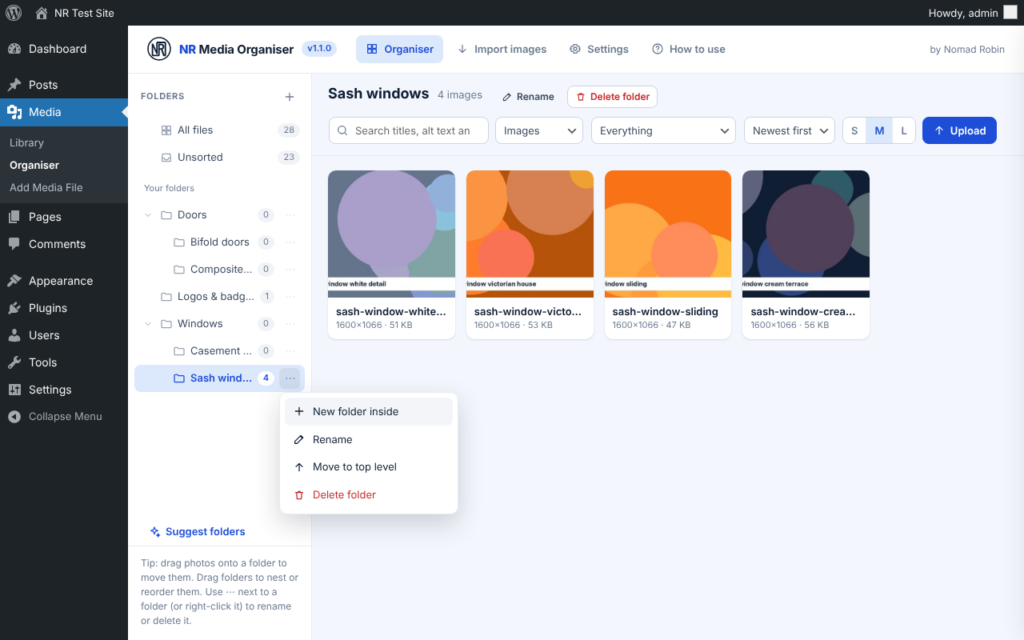
Folders, at last. Make folders and folders inside folders, then drag your images into them. Every image sits in one folder, so you always know where it is, and the same folders show up in the normal Media Library and in the “Add media” pop-up when you are building a page. Deleting a folder never deletes your images. They simply move up a level.
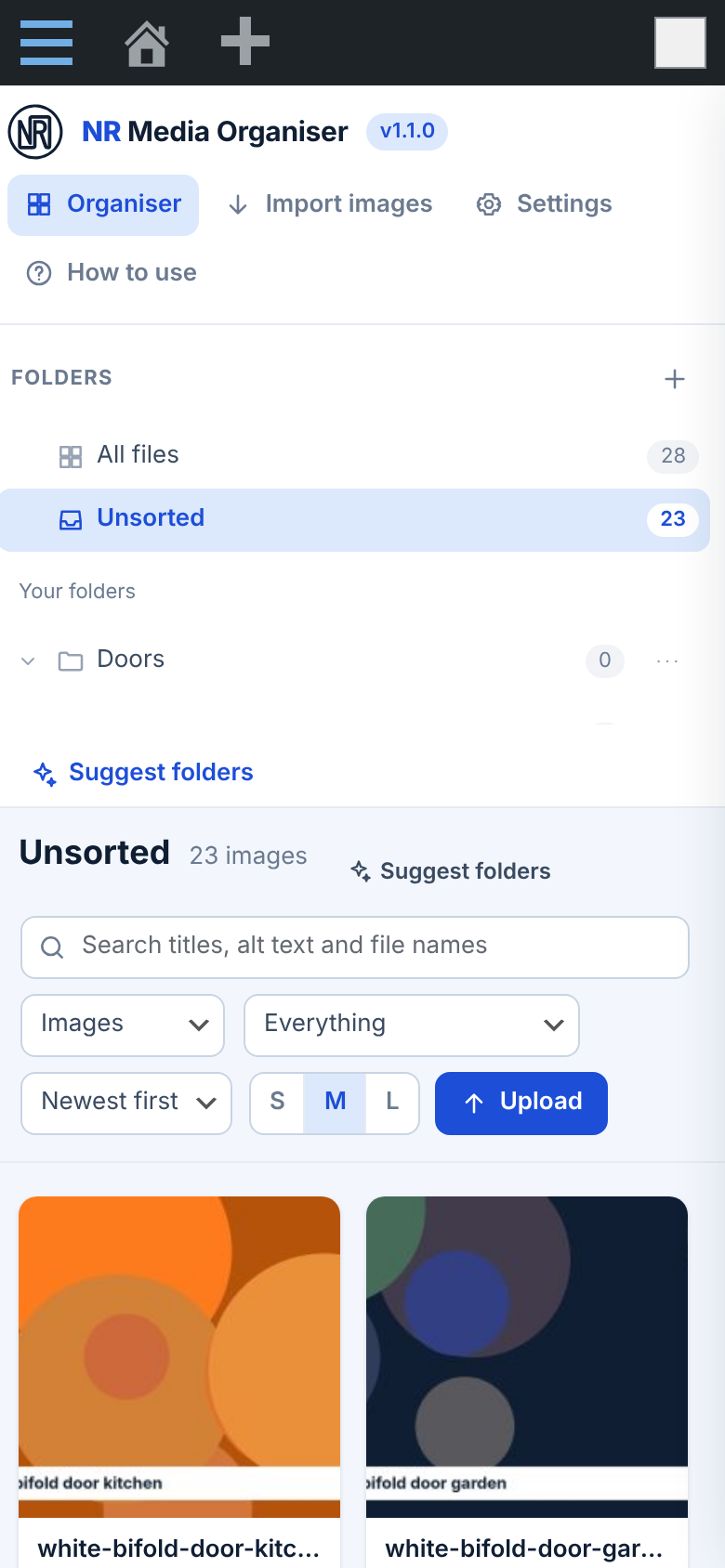
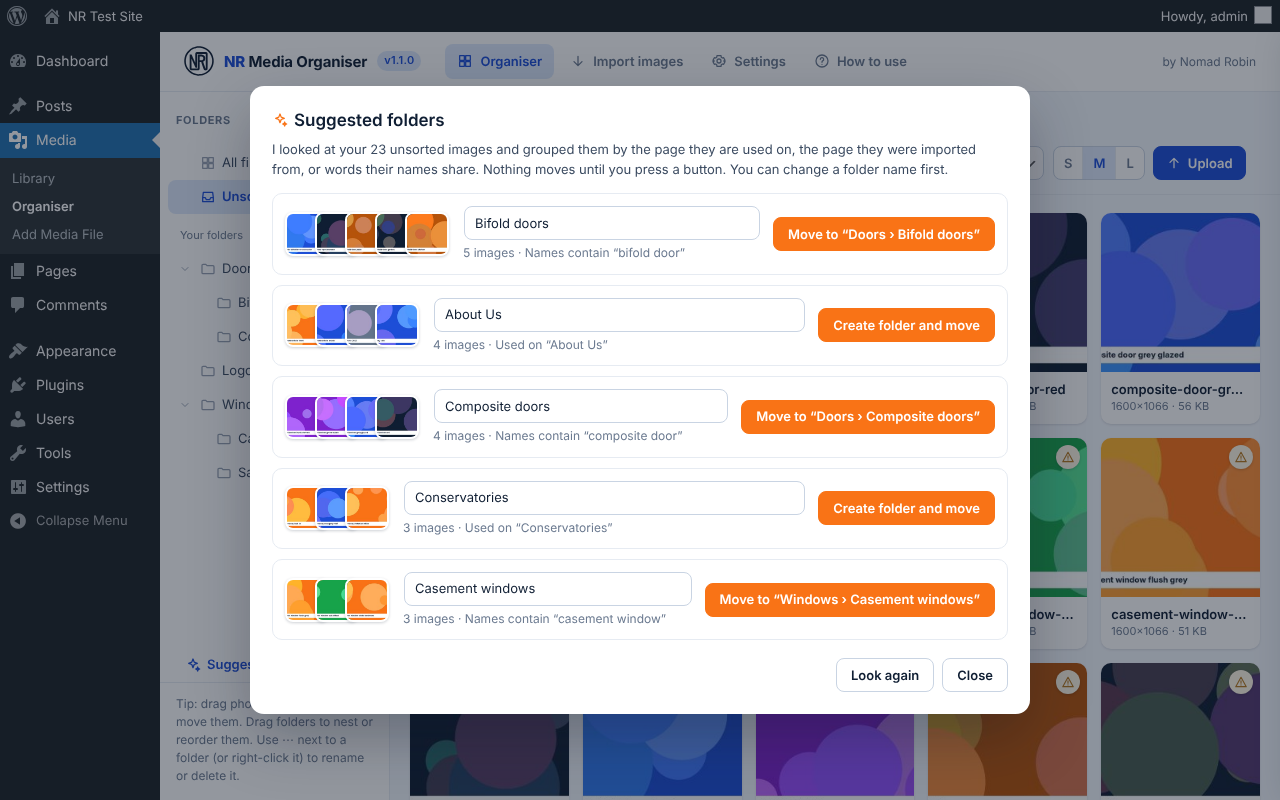
Let it sort for you. Press “Suggest folders” and the plugin groups your unsorted images by the page they are used on, the page they were imported from, or the words their names share, such as “Bifold doors” or “Sash windows”. Check the name, press one button, and they are moved. Nothing moves until you say so.
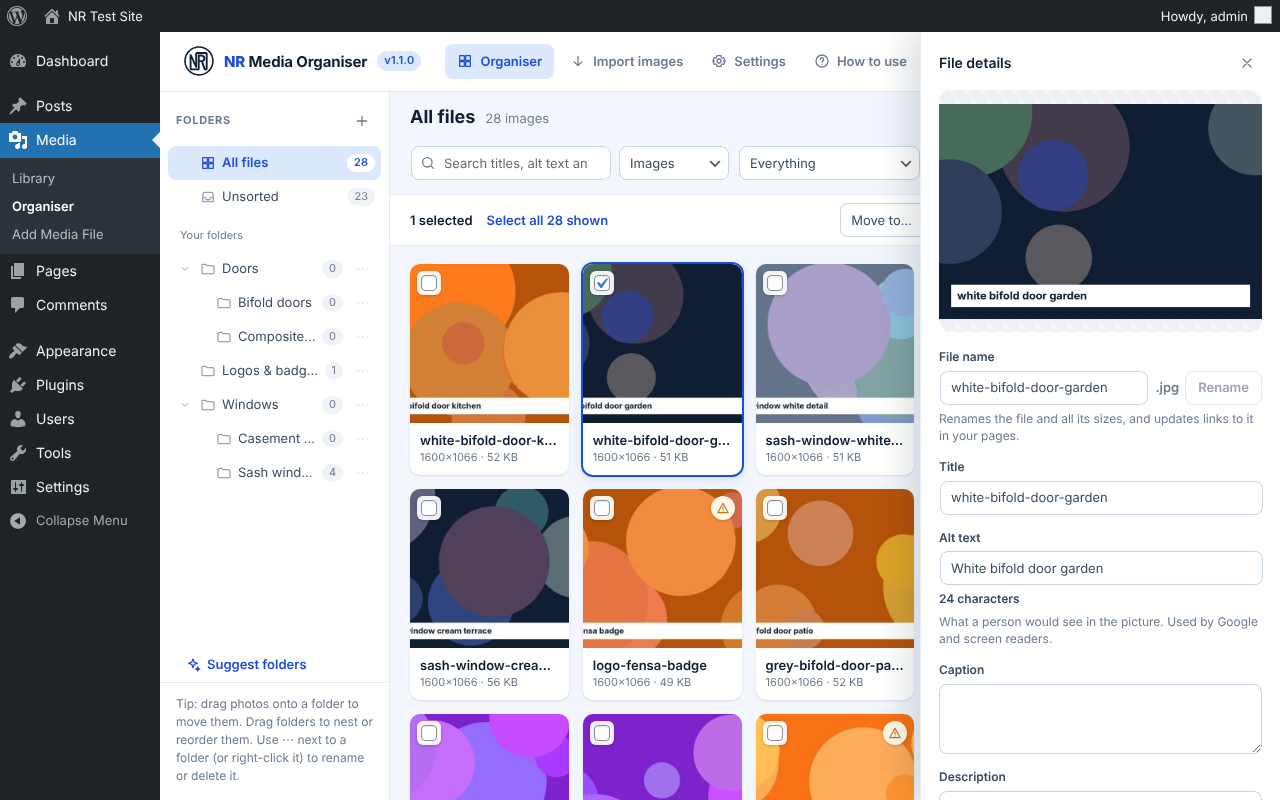
Fix everything in one screen. Click an image to edit its title, alt text, caption and description, and it saves as you type. Rename the actual file (every size of it), and the links in your pages and posts are updated for you. Select twenty images and give them all proper names and alt text at once with simple patterns such as {folder} {n}, or use find and replace. Filters show you at a glance which images are missing alt text, which were imported and which are not used on any page. That is good for SEO and for accessibility.
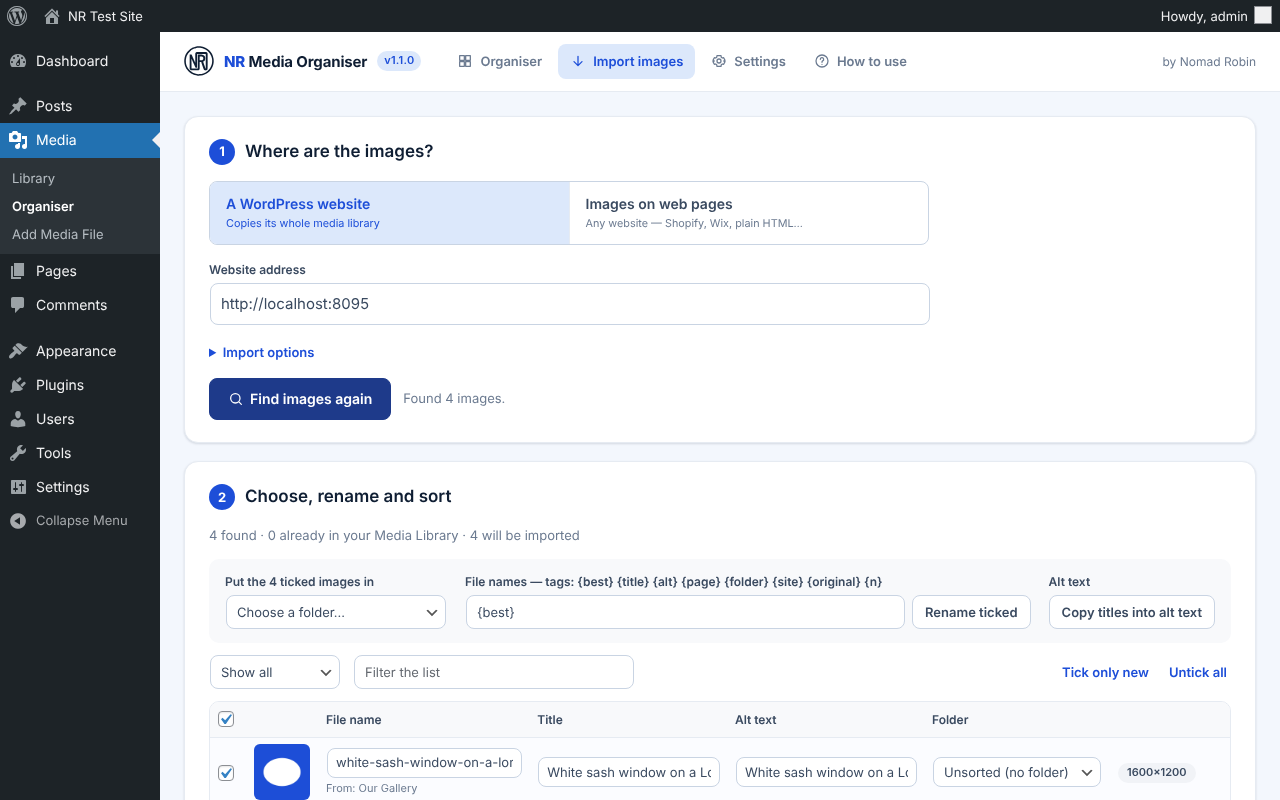
Bring images in from another website. Moving to a new site? Copy the whole media library of another WordPress website, or the images on up to 50 pages of any website (Shopify, Wix, plain HTML). Each image gets a sensible name, title and alt text before you import it, and you choose its folder, including “a folder for each page”. Images you already have are skipped, even if they were saved under a different name.
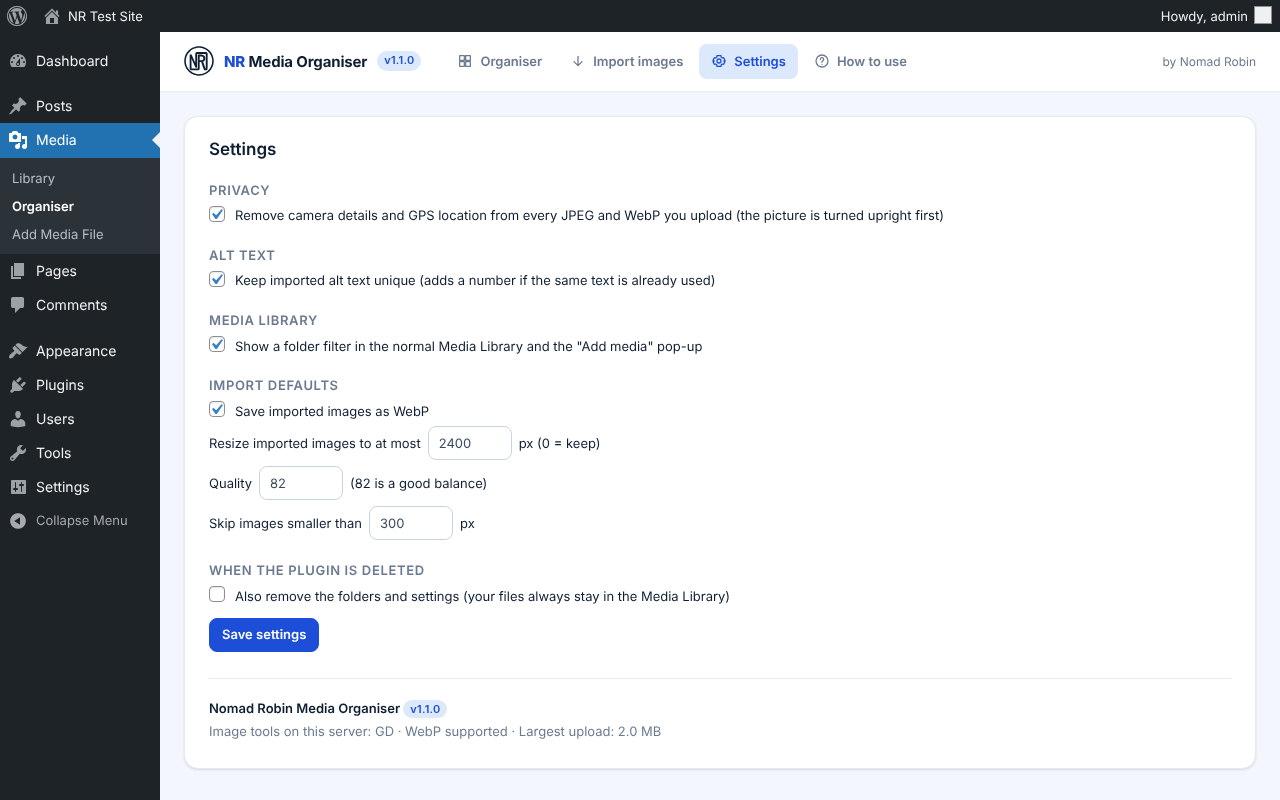
Private and tidy by default. Camera details and GPS location are removed from every upload and import, pictures are turned the right way up, and imports are resized and saved as small WebP files.
Built properly. The plugin is fast with thousands of images, works on phones and with the keyboard, loads nothing on the public side of your website, and checks permissions on every action. There is a plain-English “How to use” guide built in.
Made by Nomad Robin, the web designer behind several busy UK trade websites, and used on them every day.
Key features
- Folders for the WordPress Media Library
- Folders inside folders, as deep as you like
- Drag and drop images onto folders to move them
- Drag folders to reorder them or put one inside another
- Rename and Delete folder buttons next to the open folder's name
- Folder options on every folder (⋯ button or right-click)
- Keyboard shortcuts for folders (F2 to rename, Del to delete)
- Deleting a folder never deletes images; they move up one level
- Find-a-folder search box when you have lots of folders
- Suggested folders: groups unsorted images in one click
- Suggestions by the page an image is used on
- Suggestions by the page an image was imported from
- Suggestions by words that image names share, such as "Bifold doors"
- Suggestions spot folders you already have, ignoring capitals and plurals
- Nothing moves until you press the button, and you can rename a suggestion first
- "All files" and "Unsorted" views
- Fast grid that loads more images as you scroll
- Small, medium and large thumbnails
- Search titles, alt text and file names
- Filter by type: images, video, audio, documents
- Filter images with missing alt text
- Filter imported images
- Filter images not attached to any page
- Sort newest, oldest, A to Z or Z to A
- Select many images with Shift-click, Ctrl/⌘-click or Ctrl/⌘ + A
- Warning badge on images that have no alt text
- Details panel for title, alt text, caption and description
- Changes save automatically as you type
- Alt text character counter with a too-long warning
- Rename the real file, including every image size
- Links in pages and posts are updated when a file is renamed
- A rename that fails part-way is undone automatically
- Bulk edit titles, alt text, captions and file names together
- Name patterns: {title} {alt} {folder} {file} {n} {date} {site}
- "Only fill empty" option to add missing alt text without touching good alt text
- Find and replace across titles, alt text, captions and descriptions
- Upload by dragging files from your computer straight into a folder
- Permanent delete of selected images, always with a confirm first
- Import the whole media library of another WordPress website
- Import the images on up to 50 web pages of any website
- Finds images in img tags, srcset, lazy-loading, picture tags, og:image, image links and CSS backgrounds
- Suggested file name, title and alt text for every imported image
- Camera-style names such as IMG_1234 are ignored when suggesting names
- Choose a folder for each image, or a folder for each source page
- Rename all imports at once with patterns: {best} {title} {alt} {page} {folder} {site} {original} {n}
- Imports run in small batches with pause and carry on
- Failed downloads are retried automatically
- Duplicates skipped by web address and by identical picture
- Imported images keep a note of where they came from
- Removes camera details and GPS location from uploads and imports
- Turns photos the right way up
- Resizes large imports and saves them as WebP
- Folder filter in the normal Media Library (grid and list)
- Folder filter in the "Add media" pop-up
- Folder column in the Media Library list view
- Folder field on every image's details
- Built-in "How to use" guide in plain English
- Works on phones and tablets
- Full keyboard access with visible focus
- Fast with thousands of images and hundreds of folders
- Loads nothing on the public side of your website
- Permission checks on every action: Editors manage folders, Administrators import and change settings
- Works on hosts that block some types of web request
- Settings for privacy, import size, quality and format
- Keeps your images if the plugin is ever deleted
- Nomad Robin support and 12 months of updates
Screenshots


Details and requirements
| Version | 1.1.0 |
|---|---|
| Last updated | 21 October 2026 |
| Download size | 85 KB |
| Licence | GPL v2 or later (code) |
Changelog
- 1.1.0 21 Oct 2026 — First release
Questions
How do I get the plugin after paying?
Straight away: there's a download button on the thank-you page, and you'll get an email with your personal download link and licence key.
How do updates work?
For 12 months your download link always gives you the latest version. After that you keep the version you have, and can renew for further updates.
Can I get a refund?
Your legal rights apply if the product is faulty or not as described, and if it doesn't work as described and I can't fix it, I'll refund you. Because it's a download, the usual 14-day change-of-mind right ends once you start the download. Full details are in the Digital Products Terms.
Prices in pounds. I'm not VAT registered, so no VAT is added. Digital Products Terms