
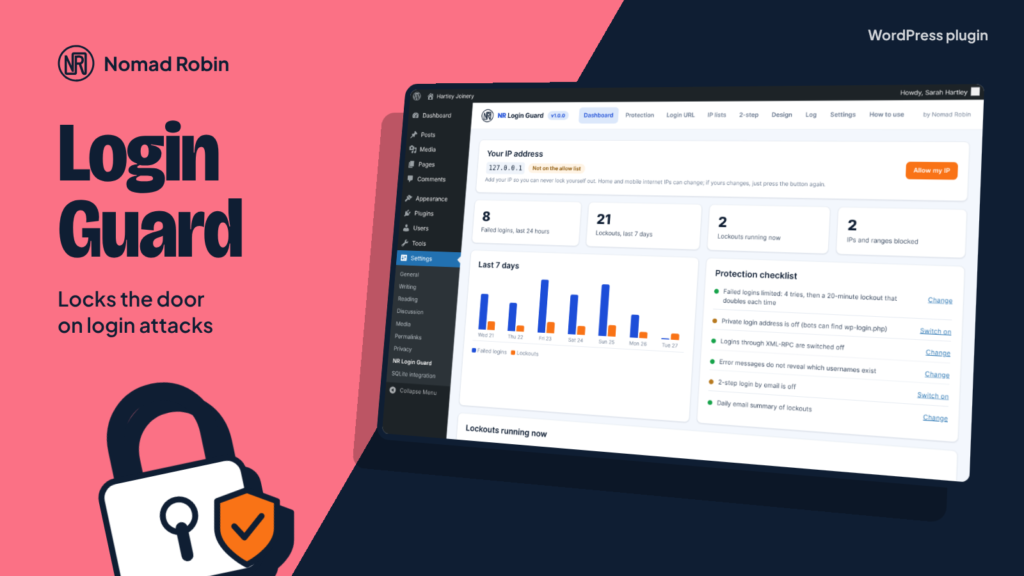
Every WordPress website is attacked by robots that try thousands of passwords on the login page. NR Login Guard stops them. After a few wrong passwords the robot’s IP address is locked out, and each lockout is twice as long as the last. IPs that keep coming back are locked out for a whole day.
It also hides the door. Move your login page to a private address such as /team-door/, and wp-login.php and wp-admin simply show “page not found” to anyone who is not logged in. Most robots give up before they start. You get the new address by email, and two simple wp-config.php switches always let you back in.
For the accounts that matter most, switch on 2-step login by email. After the right password, administrators type a 6-digit code sent to their inbox, so a stolen password is not enough. No app, no phone number and no outside service. The plugin makes you confirm a test code first, so a website that cannot send email can never lock you out.
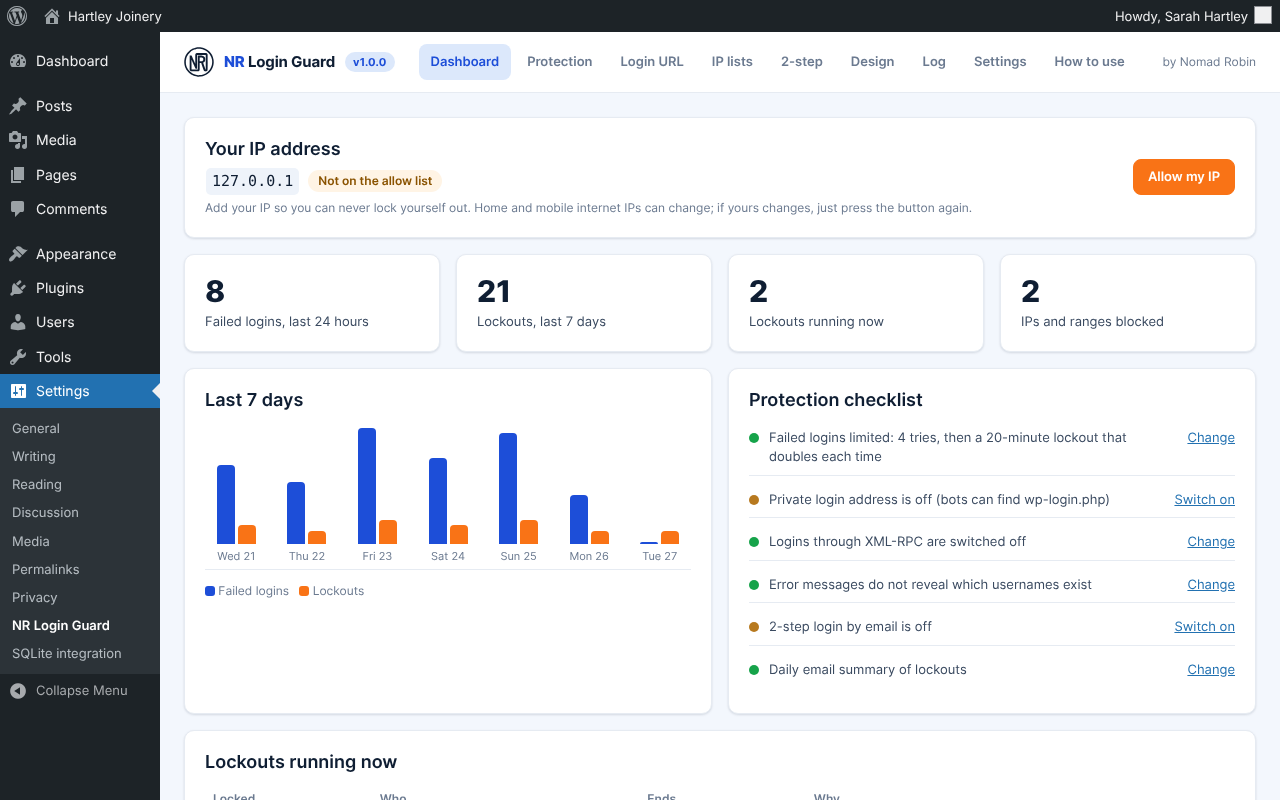
You can never lock yourself out by accident. The Dashboard shows your own IP address with an “Allow my IP” button, your IP can never be put on the block list, and attacks on one username only pause that account for new devices, while you carry on logging in from your usual computer.
It is built for real websites behind Cloudflare or hosting proxies: by default only the real connection address is trusted, so attackers cannot fake their IP, and you can list the proxies to trust. The log shows every failed login and lockout with one-click Block and Allow buttons and a CSV download, and old entries are deleted automatically for UK GDPR. A daily email tells you when anything was stopped.
Finally, make the login page yours: your logo, colours, background picture and a message for staff, with a live preview while you design it.
It replaces two popular free plugins (a “limit login attempts” plugin and a “hide login” plugin) with one lightweight plugin that loads nothing on your public pages. Made by Nomad Robin, with a plain-English “How to use” tab built in.
Key features
- Limits failed logins per IP address
- Lockouts that double in length each time
- Long lockout (24 hours by default) for IPs that keep trying
- Per-username protection against attacks from many IPs
- Paused usernames still work from devices you have used before
- Allow list of IPs and ranges that are never locked out
- Block list of IPs and ranges that cannot open the login page
- IPv4, IPv6 and CIDR ranges, with notes
- Shows your current IP with an "Allow my IP" button
- Your own IP can never be added to the block list
- Trusted-proxy aware IP detection (Cloudflare, load balancers)
- Uses only the real connection address by default, so IPs cannot be faked
- Private login address (for example /team-door/)
- wp-login.php and wp-admin show "page not found" to logged-out visitors
- New login address emailed to you
- Recovery switch in wp-config.php if you forget the address
- Safe-mode switch in wp-config.php if you are ever locked out
- 2-step login by email with 6-digit codes
- Choose which roles need a code (administrators by default)
- Test code required before 2-step can be switched on
- Codes expire after 10 minutes, with resend and wrong-code limits
- One general login error message that does not reveal usernames
- Lost-password form that does not reveal which accounts exist
- Switch off XML-RPC logins, or XML-RPC completely
- Blocks username discovery (?author=1 and the REST user list)
- Optional "attempts left" message
- Lockout log with filters and search
- One-click Block and Allow buttons in the log
- Log download as CSV
- Automatic log clean-up after the number of days you choose
- Daily email summary of lockouts, or an email after each lockout
- Test alert email button
- Dashboard with 24-hour and 7-day numbers, a chart and a protection checklist
- Unlock button for running lockouts
- Login screen designer: logo, logo size, background colour or picture
- Form, text, button and link colours and corner rounding
- Message above the login form
- Hide the "Go to site" link and the language menu
- Live preview while you design
- Suggested privacy-policy text added automatically
- Loads nothing on your public pages
- No outside services, no tracking
- Keeps your data when uninstalled unless you choose otherwise
- Translation-ready
- Built-in "How to use" tab in plain English
- Version number shown on the plugin's screen
- Works on phones and tablets
- One price: use it on as many sites as you like
Screenshots



Details and requirements
| Version | 1.0.0 |
|---|---|
| Last updated | 27 October 2026 |
| Download size | 72 KB |
| Licence | GPL v2 or later (code) |
Changelog
- 1.0.0 27 Oct 2026 — First release
Questions
How do I get the plugin after paying?
Straight away: there's a download button on the thank-you page, and you'll get an email with your personal download link and licence key.
How do updates work?
Your download link always gives you the latest release of version 1: fixes, security updates and small improvements are included. A future version 2 would be a separate purchase, and you never have to upgrade.
Can I use it on more than one site?
Yes. One price, and you can use it on as many sites as you like.
Is support included?
No. Help, set-up and customisation aren't included in the price. If something doesn't work as described, report it through the support page and I'll put it right. Your legal rights are not affected.
Can I get a refund?
Your legal rights apply if the product is faulty or not as described, and if it doesn't work as described and I can't fix it, I'll refund you. Because it's a download, the usual 14-day change-of-mind right ends once you start the download. Full details are in the Digital Products Terms.
Prices in pounds. I'm not VAT registered, so no VAT is added. Digital Products Terms