In short: How long it takes to build a website depends less on the coding and more on three things: how ready your content is, how quickly feedback goes back and forth, and how many features the site needs. A simple brochure site with content ready to go moves quickly; a bigger site, an online shop or a project waiting on words and photos takes longer.
“How long will it take?” is one of the first questions I get asked, and it’s a fair one. You might have a launch date in mind, or a slow season coming up when you’d like the site working for you.
The honest answer is that the build itself is rarely what holds a website up. In my experience, the timeline is shaped by the stages either side of the build: getting the plan clear at the start, and getting content and feedback flowing in the middle. Below I’ll walk through each stage of how I work, then cover what speeds a project up and what slows it down.
Why there’s no one-size-fits-all answer
A website isn’t an off-the-shelf product. A five-page site for a local plumber and a Shopify store with hundreds of products are both “websites”, but they’re very different jobs.
Across the industry, small business websites typically take anything from a few weeks to a few months, and the range is wide because projects vary so much. Anyone who gives you a fixed date before they’ve asked about your business, your content and your features is guessing.
What I’d rather do is explain where the time actually goes, so you can see which parts are in your hands and which are in mine.
The stages of building a website
Here’s the process I follow for every project, which you can also read about on my how I work page.
1. A free initial chat
I ask about your business, your customers and what you want the website to do: more phone calls, more online sales, or simply looking professional when someone checks you out. This is where I find out how many pages you need, whether you need a shop, and what content you already have.
2. A clear quote
Once I understand the job, I send a written quote that sets out what’s included. Clear scope at this stage saves a lot of time later, because everyone knows what’s being built. When you’re happy, you make a small first payment and the project starts.
3. A mockup design
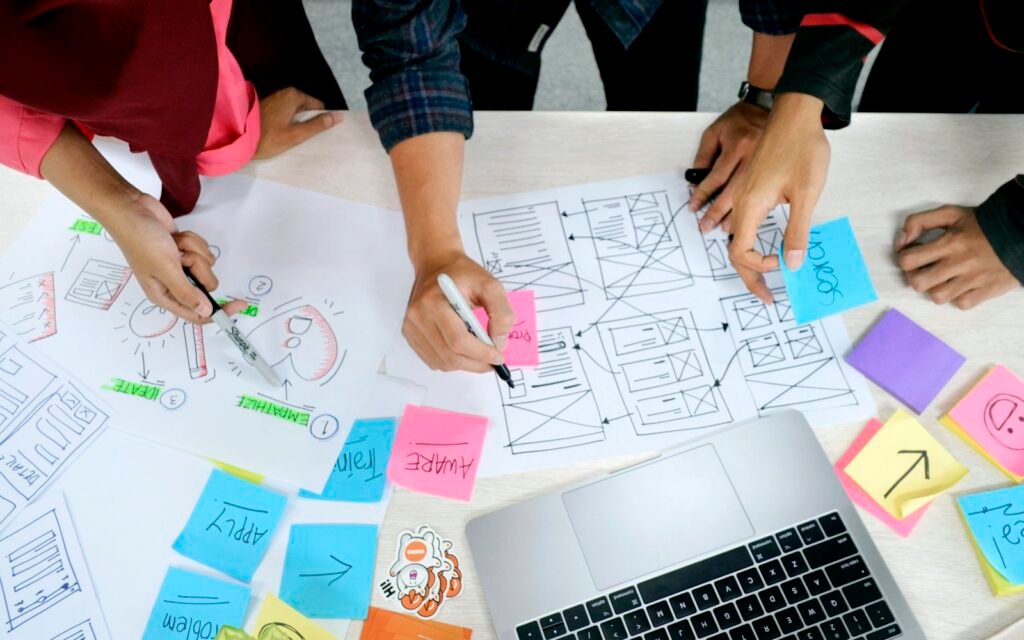
Before I build anything, I design a mockup: a visual preview of how your site will look. It’s much quicker to change a design than a finished website, so this is where the look and layout get settled.
4. Three rounds of revisions
You get three rounds of revisions on the mockup. You tell me what you’d like changed (colours, layout, the order of sections, the feel of it), and I update it. Once you approve the mockup, the main payment is made and I move on to the build.
5. The build
This is where I turn the approved design into a working WordPress website or Shopify online shop. I build custom, without bloated page builders, so the site is fast and mobile-friendly, with the SEO basics (page titles, descriptions, structured data and a sitemap) built in from the start.
6. Launch
When everything is tested on phones, tablets and computers, and the final payment is made, the site goes live. I connect it to Google so it can start being found in search results.
7. A one-hour training session
After launch I run a one-hour training session so you can edit your own text, photos and pages without having to call anyone. If you’d like ongoing help after that, there’s my optional hosting and care plan, which starts from the day the site goes live.
What speeds a website project up
Most of the things that make a project move quickly are about preparation and communication rather than technology.
- Your content is ready. If you have your wording, photos, logo, service list and contact details sorted before the project starts, the build can flow without stopping.
- You know what you want the site to do. A clear goal (“I want more boiler service bookings”) makes design decisions much faster than a vague one.
- Feedback comes back promptly. Each revision round only moves as fast as the reply. Quick, specific feedback keeps things rolling.
- One person makes decisions. When a single owner or manager signs things off, there’s no waiting for everyone to agree.
- The scope stays the same. Sticking to what was agreed in the quote stops the finish line moving.
What slows a website project down
These are the things I see hold projects up most often. None of them are unusual, and most are easy to avoid once you know about them.
Waiting on content
This is the big one. Writing about your own business is harder than it looks, and it’s the job that tends to slip when you’re busy running things. A site can be fully designed and built and still sit waiting for the “About us” page or a set of decent photos.
If writing isn’t your thing, it’s worth planning for that from the start. I offer content writing for exactly this reason, and I’ve also written a guide on how to write website content that gets enquiries if you’d rather do it yourself.
Slow or unclear feedback
“I’m not sure, can you try something different?” is hard to act on. “Can the header be darker and the phone number bigger?” is easy. Clear notes, sent together rather than in dribs and drabs, keep each revision round tight.
Adding features halfway through
Deciding mid-build that you’d also like online booking, a members’ area or a shop changes the job. It’s absolutely fine to change your mind, but it usually means going back a step, and it may change the quote.
Extra features and integrations
Each feature adds design, build and testing time. Common ones include:
- Online shops with lots of products, variants and delivery rules
- Booking systems and calendars
- Connections to other tools, such as Google services, mailing lists or accounting software
- Moving content across from an old website
- Multiple languages
Technical loose ends
Lost login details for the old domain name, or a website held by a previous designer who isn’t answering, can stall a launch. If you’re not sure who controls your domain, it’s worth checking early. My guide to domain names and web hosting explains what to look for.
How the type of website affects the timeline
The kind of site you need has a big effect on how long it takes. Here’s a rough comparison in general terms:
| Type of website | What’s involved | Relative timeline |
|---|---|---|
| Small brochure site | A handful of pages about your services, with an enquiry form | Usually the quickest |
| Larger service or content site | Many pages, a blog, service area pages, more content to write | Longer, mostly because of content |
| Online shop | Products, payments, delivery, stock, legal pages | Longer, because there’s more to set up and test |
| Redesign of an existing site | New design plus moving and tidying old content | Varies with how much content there is |
If you’re not sure which type you need, my post on the three main types of website explains the differences.
How to get your website live sooner
If you’ve got a date in mind, here’s what I’d suggest doing before your first chat with me:
- Write down the goal. One sentence on what the website needs to achieve.
- List your pages. Home, services, about, contact, and anything else you think you need.
- Gather your assets. Logo, photos, reviews, accreditations and any existing wording.
- Check your domain access. Make sure you can log in to wherever your domain name is registered.
- Pick a few sites you like. Note what you like about each one.
- Block out time for feedback. A little time set aside for each revision round makes a real difference.
- Start simple if you need to. A smaller site that launches can grow later. Extra pages and features can be added once it’s live.
Honestly, if you need something online by tomorrow, a professionally built website isn’t the right tool. A Google Business Profile can be set up quickly and gets you found locally while a proper site is being built.
Frequently asked questions
How long does it take to build a small business website?
It varies with the size of the site, how ready your content is and how quickly feedback is given. Across the industry, small sites typically take a few weeks, and bigger sites or shops longer. I’ll give you a realistic idea once I understand your project.
What takes the longest when building a website?
In most projects it’s the content: the wording, photos and details only you can provide. The design and build stages are usually predictable; waiting on content is what tends to stretch a timeline.
Can a website be built in a week?
A very simple site with every piece of content ready might come together quickly, but rushing usually means cutting corners on design, testing or SEO basics. It’s better to plan a realistic timeline and launch something that works properly.
Does an online shop take longer than a normal website?
Usually, yes. A shop needs products, prices, photos, delivery options, payments and legal pages set up and tested, which adds work compared with a brochure site.
Do I need all my content ready before work starts?
Not all of it, but the more you have, the smoother the project. At minimum, it helps to have your logo, a list of services and a few good photos. If writing is the hold-up, a copywriter can help.
Can I add more pages after my website goes live?
Yes. A well-built WordPress or Shopify site is easy to grow, and after the training session you’ll be able to add and edit pages yourself.
Let’s talk about your timeline
If you’ve got a launch date in mind, tell me about it in a free chat and I’ll be straight with you about what’s realistic for your project. You can get in touch here, or have a look at my website packages and pricing first.