
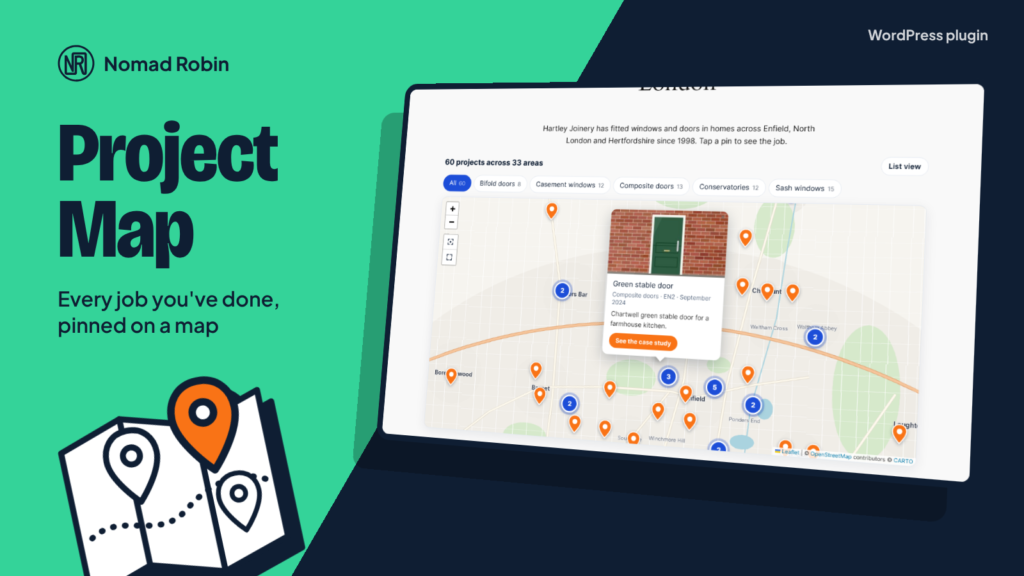
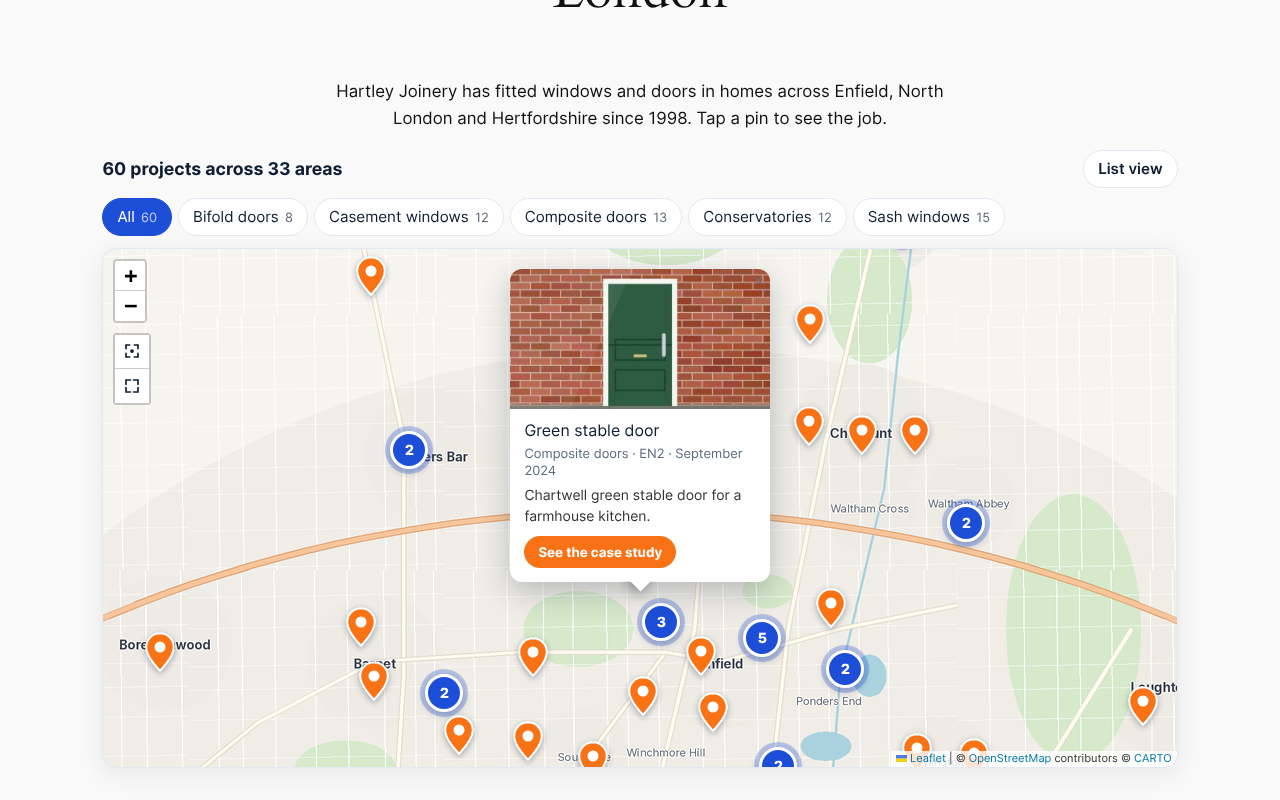
Nothing sells your work like seeing it on a map. NR Project Map turns the postcodes of the jobs you have finished into a “portfolio map” for your website: a window fitter can show every installation across London, a roofer every roof, a landscaper every garden. Visitors see straight away how much work you do near them, tap a pin to see a photo, a short note, the date and a link to the case study, and filter the map by job type.
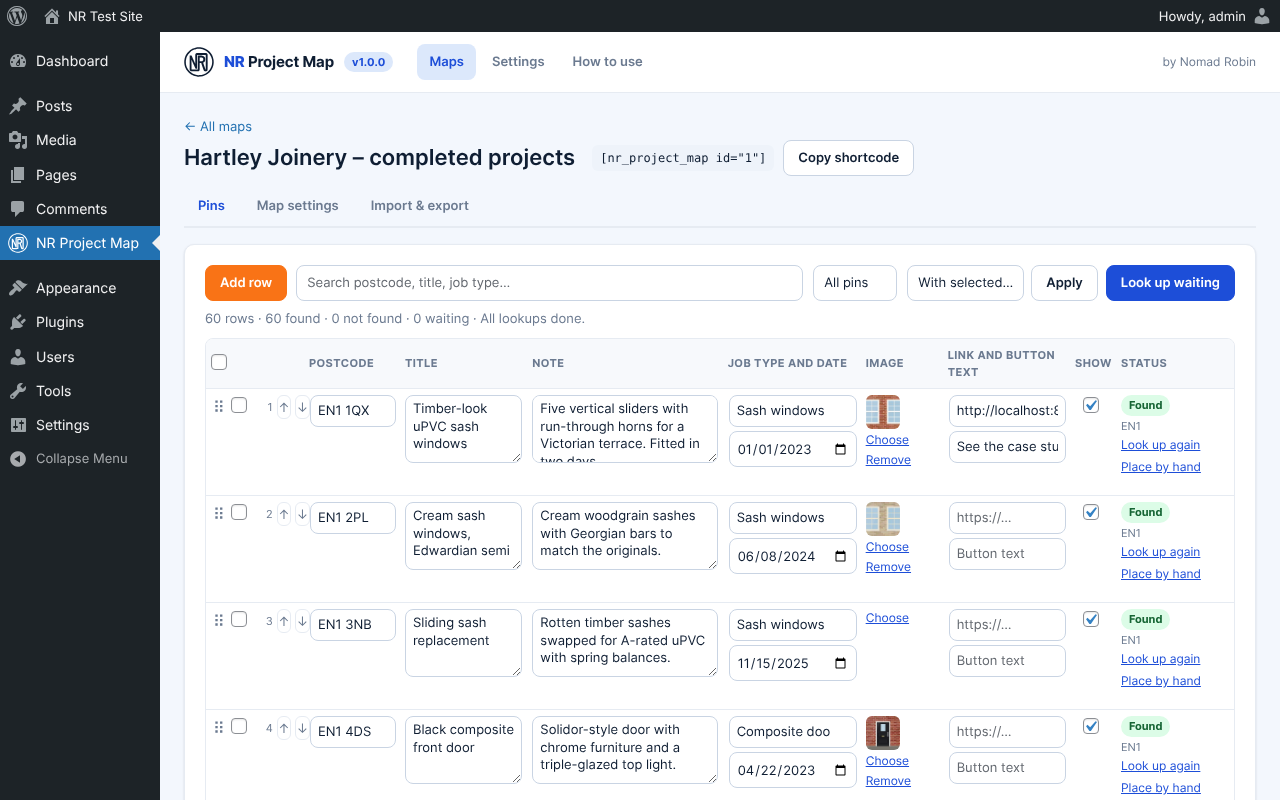
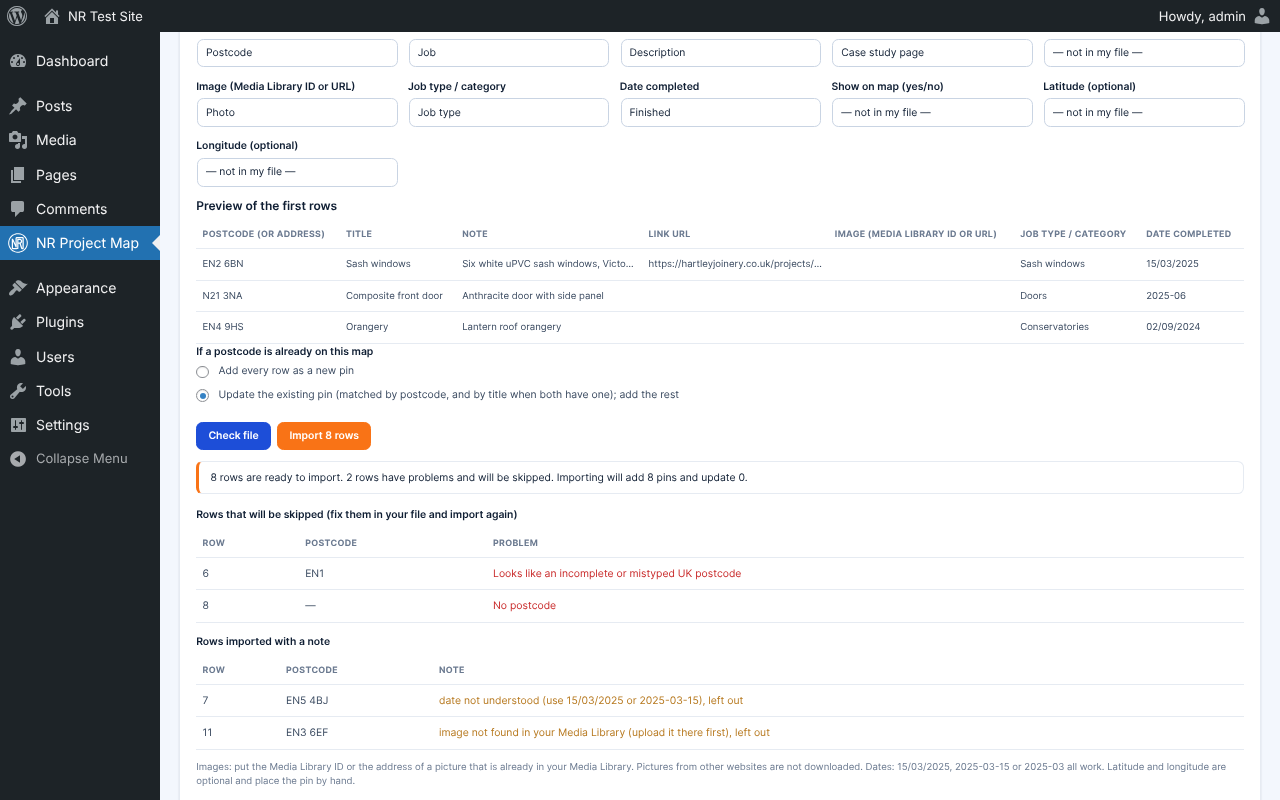
Adding jobs is easy. Type them into a simple spreadsheet-style screen that saves as you go, or import a whole spreadsheet at once. Download the template, fill it in, upload it and match the columns. A clear report lists any bad postcodes before anything is imported. UK postcodes are looked up free with postcodes.io and saved, so each one is only looked up once. Addresses abroad work too, and any pin can be dragged to the exact spot by hand.
It is built for businesses that work at people’s homes, so privacy comes first. By default each pin is moved 200 to 500 metres from the real address. It always moves the same way, so pins never jump about, and the exact spot never leaves your server. You can show postcode districts only (for example EN1), or exact positions for business addresses. Full postcodes are never shown unless you choose to show them, and the settings explain UK GDPR in plain English.
There is nothing to pay. Maps use OpenStreetMap through the Leaflet library, which is built into the plugin: no API key, no account and no tracking. Choose from six free map styles. If you prefer Google Maps you can use your own key. The map only loads on pages that have one, and only when a visitor scrolls to it. You can ask visitors to click “Load map” first, and it works with NR Cookie Consent.
Add the map with the NR Project Map block (you see it live in the editor), with a shortcode, or as a widget. Pins can be used with the keyboard, and a “List view” button shows every project as an accessible list. It looks good on phones too.
Made by Nomad Robin, with a plain-English “How to use” screen built in.
Key features
- Shows your completed jobs as pins on a map, made from their postcodes
- As many maps as you like, each with its own pins and look
- Spreadsheet-style pin editor that saves as you type
- Postcode, title, note, link and button text, photo, job type, date completed and show/hide for every job
- Photos chosen from your Media Library
- Drag to reorder, search, filter by status
- Bulk hide, show, delete and look up again
- Status for every pin: found, not found or waiting, with plain-English reasons
- "Look up again" button for postcodes that were not found
- Place any pin by hand by dragging it on a mini map
- Free UK postcode lookups with postcodes.io, 100 at a time, no key
- Worldwide lookups with OpenStreetMap Nominatim (polite: one per second) or Google Geocoding with your own key
- Every lookup saved, so each postcode is looked up only once
- Lookups carry on in the background if you close the page
- CSV template download with two example rows
- CSV import with column matching and a preview of the first rows
- Validation report that lists bad postcodes before anything is imported
- Import option to update existing pins by postcode or add new ones
- Photos in CSV by Media Library ID or by the address of a picture in your library
- Accepts UK dates (15/03/2025) as well as 2025-03-15 and 2025-03
- CSV export of every pin
- Privacy setting per map: nearby (200 to 500 metres, the default), postcode district only, or exact
- Pins keep the same position on every page load
- The exact location never leaves your server in "nearby" and "district" modes
- Full postcode hidden from visitors unless you choose to show it
- Plain-English UK GDPR explanation on the settings screen
- Free OpenStreetMap maps through the bundled Leaflet library, no API key
- Six free map styles, each with the correct credit line
- Optional Google Maps with your own key
- Pin styles: classic, house, tick, dot or your own image
- Your own pin and group colours
- Groups nearby pins into numbered circles (clustering)
- Job-type filter buttons above the map
- Pop-ups with photo, title, note, area, date and link button, each switchable
- Start view that fits all pins, or a centre and zoom you choose from the preview
- Full-screen button and "Show all projects" button
- Scroll-wheel zoom on or off
- Separate map heights for computers and phones
- "128 projects across 34 areas" line with your own wording
- List view with "Show on map" for every project
- Keyboard-accessible pins with labels for screen readers
- Shortcode [nr_project_map id="1"]
- Gutenberg block with a live map preview in the editor
- Works as a widget through the block
- Loads nothing on pages without a map
- Map files load only when the map scrolls into view
- "Click to load map" placeholder (on by default for Google)
- Works with NR Cookie Consent: waits for consent to Functional cookies
- No cookies and no visitor data stored by the plugin
- All libraries bundled locally, no CDNs
- Keeps your data when uninstalled unless you choose otherwise
- Translation-ready
- Built-in "How to use" tab in plain English
- Version number shown on the plugin's screen
- Works on phones and tablets
- One price: use it on as many sites as you like
Screenshots

Details and requirements
| Version | 1.0.0 |
|---|---|
| Last updated | 28 October 2026 |
| Download size | 172 KB |
| Licence | GPL v2 or later (code) |
Changelog
- 1.0.0 28 Oct 2026 — First release
Questions
How do I get the plugin after paying?
Straight away: there's a download button on the thank-you page, and you'll get an email with your personal download link and licence key.
How do updates work?
Your download link always gives you the latest release of version 1: fixes, security updates and small improvements are included. A future version 2 would be a separate purchase, and you never have to upgrade.
Can I use it on more than one site?
Yes. One price, and you can use it on as many sites as you like.
Is support included?
No. Help, set-up and customisation aren't included in the price. If something doesn't work as described, report it through the support page and I'll put it right. Your legal rights are not affected.
Can I get a refund?
Your legal rights apply if the product is faulty or not as described, and if it doesn't work as described and I can't fix it, I'll refund you. Because it's a download, the usual 14-day change-of-mind right ends once you start the download. Full details are in the Digital Products Terms.
Prices in pounds. I'm not VAT registered, so no VAT is added. Digital Products Terms