
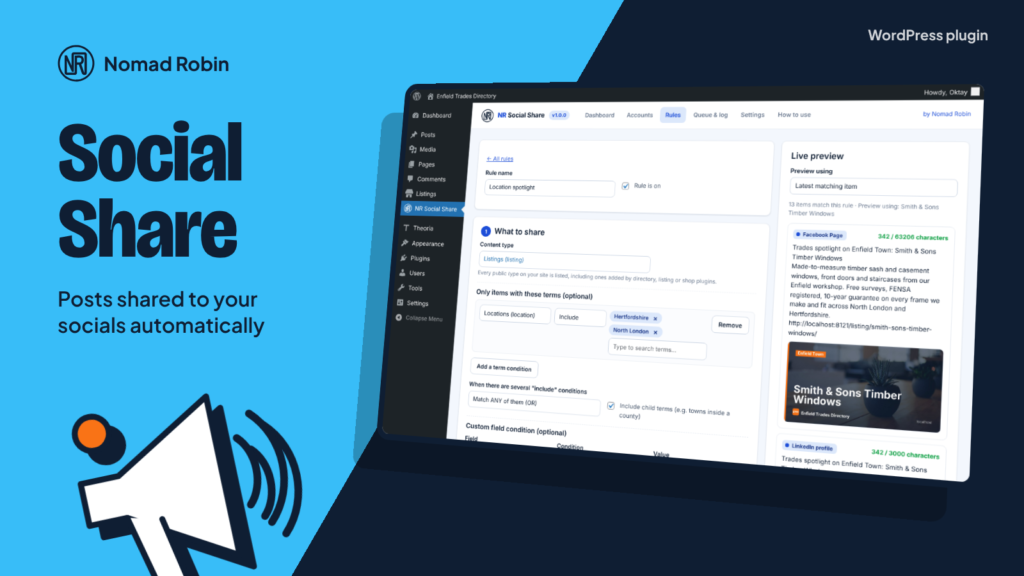
Keeping social media busy takes time you would rather spend on your business. NR Social Share does it for you. Write a few simple rules once, and your website shares your new and older content to Facebook, Instagram, LinkedIn, Bluesky, Mastodon, Telegram and X, with the right message, link and picture for each network.
It works with whatever your site has: posts, pages, products, events, or the listings of a directory plugin. Every content type, every category, tag, location and other taxonomy, and every custom field is found automatically, so a rule can be as simple as “share every new post to Facebook” or as specific as “every weekday at 9:30, 13:00 and 17:30, share one verified listing from each town in turn to Facebook, LinkedIn and Bluesky, never repeating one within 30 days”.
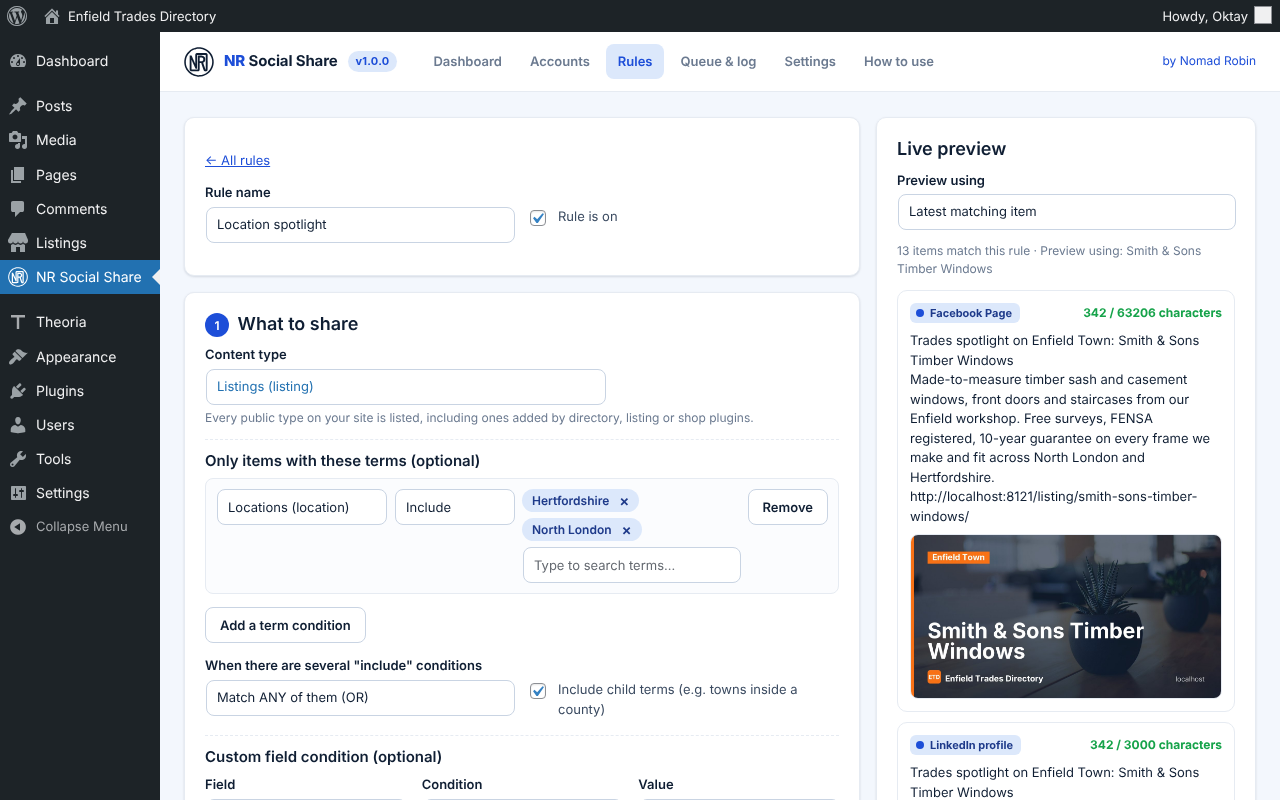
Messages are built from clickable tags taken from your own site, such as the title, excerpt, link, location, category hashtags or a phone number field. A live preview shows a real item for each network, with the character count and picture, and the text is shortened safely to each network’s limit. Choose the featured image, the first image in the content, a fallback picture, or a branded card the plugin makes for you: the item’s photo with your brand colours, the title, a label such as the town, and your logo.
Unlike most social sharing plugins, there is no monthly subscription and no middle-man server. Every connection uses your own free developer app or keys, and each network comes with clear step-by-step instructions and a Test connection button. Posts go straight from your website to the network, and your tokens are encrypted with your site’s own security keys. X is optional and clearly marked, because X charges for each post.
It is careful too. It keeps a gap between posts, stops at a daily limit, stays quiet overnight if you want, tries again when a network has a hiccup, and explains any problem in plain English, with a Retry button and a link to every live post. You get a dashboard warning (and an email if you like) when something keeps failing or a LinkedIn connection is about to expire, and one switch pauses everything. In the editor you can switch accounts off for one item, write a custom message, stop it being shared, or press Share now and see its share history.
Made by Nomad Robin, with a plain-English “How to use” tab built in.
Key features
- Automatic sharing to Facebook Pages, Instagram, LinkedIn, Bluesky, Mastodon, Telegram and X
- Uses your own free developer apps and keys: no subscription, no middle-man server
- Facebook Pages: link posts and photo posts
- Instagram Business and Creator accounts: picture posts with captions and hashtags
- LinkedIn personal profiles: link posts with thumbnail, or image posts
- Bluesky: link cards with picture, clickable links and hashtags, 300-character aware
- Mastodon on any server: posts with pictures
- Telegram channels and groups: photo or text posts
- X (Twitter) optional, clearly marked as paid per post by X
- Several accounts on each network
- Step-by-step "How to get your keys" guide for every network
- One-click log-in for Facebook, Instagram and LinkedIn with your own app
- Callback URL shown with a Copy button
- Test connection button, status and expiry date for every account
- LinkedIn expiry reminder a week before
- Tokens, passwords and app secrets encrypted and never shown again
- Unlimited sharing rules
- Works with any public content type, including directory, listing and shop plugins
- Include or exclude terms from any taxonomy, with AND/OR and child terms
- Custom-field condition with any field on your site
- Author and item age conditions
- Share when first published, with an optional delay
- Optional re-share when a published item is updated
- Schedule by weekday and time in your site's time zone
- Share every few hours
- Evergreen re-sharing of older items
- Pick oldest not yet shared, newest not yet shared, or random
- Rotate through a taxonomy: one item per location, category or tag in turn
- Don't repeat the same item within a number of days
- Skip accounts that had the item recently
- One message for all networks or a different message per network
- Clickable merge tags from your own taxonomies and custom fields
- Title, excerpt, first N words, link, site name, author, date, type, term, terms, #hashtags and custom field tags
- Live preview with a real item and per-network character counts
- Safe shortening to each network's limit, links never cut
- Automatic UTM tags (source, medium, campaign)
- Featured image, first image in the content, fallback image or branded card
- Branded cards in your colours with photo, title, label and logo (1200×630 and 1080×1080)
- Automatic square card for Instagram when an item has no suitable picture
- Queue with a gap between posts per account
- Daily limit per account
- Quiet hours
- Three tries with growing waits when a network has a temporary problem
- Plain-English error messages, with the network's own words
- Log with filters, Retry button and View post links
- Automatic log clean-up after the number of days you choose
- Dashboard with upcoming shares, recent results and counts per network
- Pause all sharing switch
- Dashboard warning and optional email alert
- Editor sidebar panel: accounts on/off, custom message, Don't auto-share, Share now, share history
- Classic editor box with the same options
- Share now link in post lists
- Add to share queue bulk action
- Private, draft and password-protected items are never shared
- Nothing loaded on your public website
- Keeps your data when uninstalled unless you choose otherwise
- Translation-ready
- Built-in "How to use" tab in plain English
- Version number shown on the plugin's screen
- Works on phones and tablets
- One price: use it on as many sites as you like
Screenshots



Details and requirements
| Version | 1.0.0 |
|---|---|
| Last updated | 28 October 2026 |
| Download size | 443 KB |
| Licence | GPL v2 or later (code) |
Changelog
- 1.0.0 28 Oct 2026 — First release
Questions
How do I get the plugin after paying?
Straight away: there's a download button on the thank-you page, and you'll get an email with your personal download link and licence key.
How do updates work?
Your download link always gives you the latest release of version 1: fixes, security updates and small improvements are included. A future version 2 would be a separate purchase, and you never have to upgrade.
Can I use it on more than one site?
Yes. One price, and you can use it on as many sites as you like.
Is support included?
No. Help, set-up and customisation aren't included in the price. If something doesn't work as described, report it through the support page and I'll put it right. Your legal rights are not affected.
Can I get a refund?
Your legal rights apply if the product is faulty or not as described, and if it doesn't work as described and I can't fix it, I'll refund you. Because it's a download, the usual 14-day change-of-mind right ends once you start the download. Full details are in the Digital Products Terms.
Prices in pounds. I'm not VAT registered, so no VAT is added. Digital Products Terms