

Building a new page that looks like one you already have? Copy it. NR Duplicate adds “Duplicate” and “Duplicate & edit” under every title in your lists of pages, posts, patterns and custom post types, so you get an exact draft copy in one click, with its blocks, layout, featured image, categories, tags and custom fields. Copy several at once from the Bulk actions menu, or copy the page you are looking at from the admin bar or the editor sidebar.
Changing a page that is already live is where most sites go wrong: edit it directly and visitors see your half-finished work; make a new page and you lose the web address that Google knows. “Rewrite & republish” solves this. It gives you a private copy of the live page to work on for as long as you like. Compare it with the original to see every change. When you are ready, press Publish and the new version replaces the old one at the same address, keeping its date and comments. Or schedule the swap, for example for a sale that starts on Monday at 8am. The old version stays in Revisions, so nothing is ever lost.
You decide what goes into a copy: the title (with your own words before or after it), content, excerpt, featured image, page template, order, comment settings and password, which taxonomies to include, and which custom fields to leave out, with wildcards for SEO or page-builder fields. You also choose whether copies start as drafts, pending, private or published, who the author is and what date they get.
It respects your user roles: people can only copy what they are allowed to create and read, and only people who can publish the original can rewrite it. Nothing loads for your visitors, so your site stays fast.
Made by Nomad Robin, with a plain-English “How to use” screen built in.
Key features
- "Duplicate" link under every title: make a draft copy and stay on the list
- "Duplicate & edit" link: make a copy and open it straight away
- Bulk "Duplicate" for many items at once
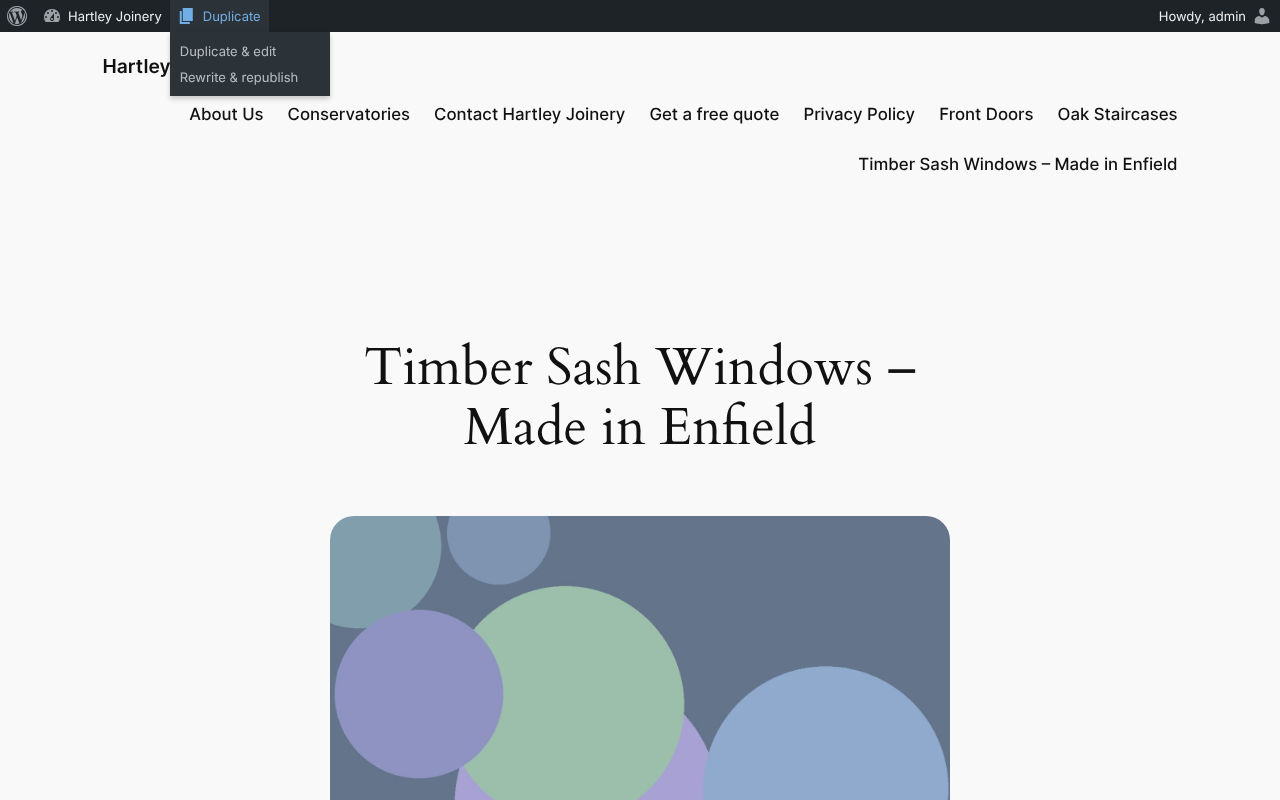
- Duplicate menu in the admin bar on the live site and in the editor
- NR Duplicate panel in the block editor sidebar
- Buttons in the classic editor's Publish box
- Works with posts, pages, synced patterns and custom post types
- Exact copies of block content, synced pattern references and page-builder data
- Rewrite & republish: edit a private copy of a live page
- Publish the rewrite over the original: same web address, ID, date, author and comments
- Schedule a rewrite to replace the original at a set date and time
- Compare a rewrite with the live page, with changes highlighted
- Old version kept in Revisions; the used copy goes to the Trash
- Cancel a rewrite by trashing it, with the live page untouched
- "Rewrite of…" and "Being rewritten" labels in your lists
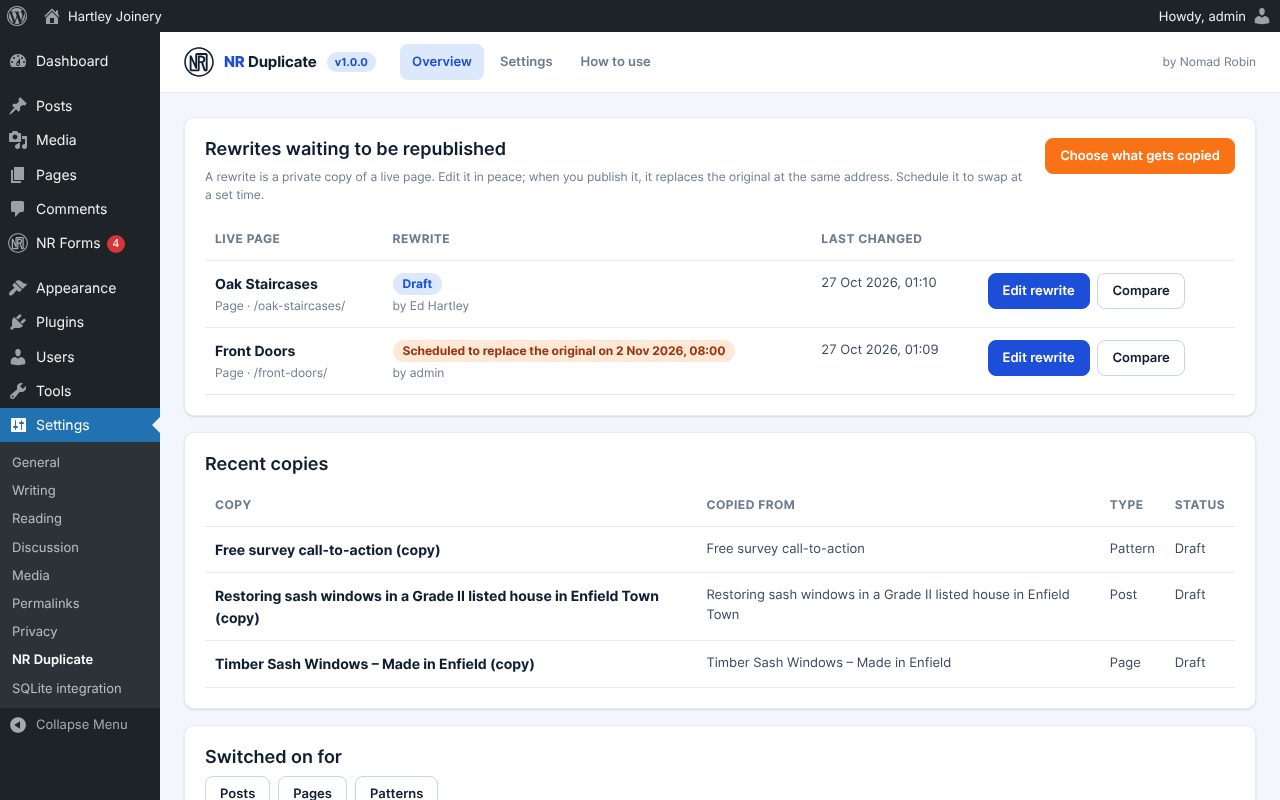
- Overview screen of rewrites waiting to be republished, with scheduled times
- Recent copies list
- Choose which content types can be copied
- Title prefix and suffix, such as "(copy)"
- Choose to copy content, excerpt, featured image, page template, order, comment settings and password
- Copy categories, tags and other taxonomies, with a list to leave out
- Copy custom fields, with an exclusion list that accepts * wildcards
- Lock, history and trash fields never copied
- Choose the copy's status: draft, pending, private, published or same as original
- Choose the copy's author: you or the original author
- Choose the copy's date: now or the original date
- Choose where the buttons appear
- Respects user roles for every content type and every item
- Drafts, private and password-protected items only copied by people who can edit them
- People who cannot publish always get a draft or pending copy
- Nonce and permission checks on every action
- Nothing loads for visitors and no jQuery
- Keeps your data when uninstalled unless you choose otherwise
- Translation-ready
- Built-in "How to use" tab in plain English
- Version number shown on the plugin's screen
- Works on phones and tablets
- One price: use it on as many sites as you like
Screenshots

Details and requirements
| Version | 1.0.0 |
|---|---|
| Last updated | 27 October 2026 |
| Download size | 42 KB |
| Licence | GPL v2 or later (code) |
Changelog
- 1.0.0 27 Oct 2026 — First release
Questions
How do I get the plugin after paying?
Straight away: there's a download button on the thank-you page, and you'll get an email with your personal download link and licence key.
How do updates work?
Your download link always gives you the latest release of version 1: fixes, security updates and small improvements are included. A future version 2 would be a separate purchase, and you never have to upgrade.
Can I use it on more than one site?
Yes. One price, and you can use it on as many sites as you like.
Is support included?
No. Help, set-up and customisation aren't included in the price. If something doesn't work as described, report it through the support page and I'll put it right. Your legal rights are not affected.
Can I get a refund?
Your legal rights apply if the product is faulty or not as described, and if it doesn't work as described and I can't fix it, I'll refund you. Because it's a download, the usual 14-day change-of-mind right ends once you start the download. Full details are in the Digital Products Terms.
Prices in pounds. I'm not VAT registered, so no VAT is added. Digital Products Terms