
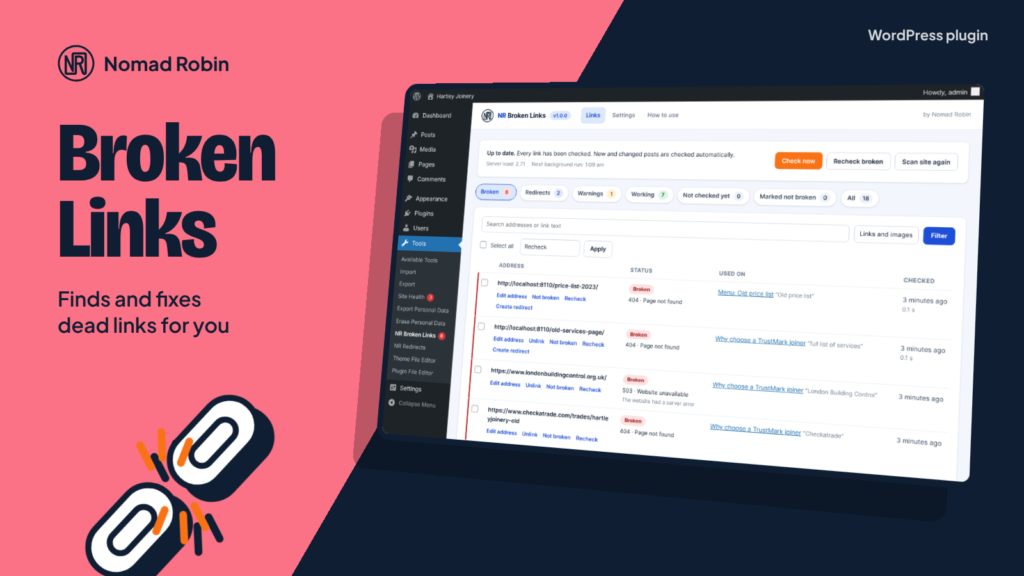
Broken links annoy visitors and quietly hurt your search rankings. Pages you linked to years ago move or disappear, suppliers close down, and pictures stop loading. NR Broken Links finds them for you and makes fixing them a one-click job.
It reads your posts, pages, custom post types, menus and (if you like) custom fields, and keeps its own list of every link and image, so your posts are never cluttered. Then it checks them gently in the background, a few every five minutes: a quick request first, a normal one if the website doesn’t like quick ones, a polite pause between requests to the same website, and an automatic pause when your server is busy. Nothing is loaded on your public pages, so visitors never wait for it.
It avoids false alarms. Slow websites, unknown websites and server errors are tried again before they are called broken, and websites that block checkers are shown as warnings, not errors. Each address is checked once however many posts use it, and rechecked every few days.
The dashboard shows what’s broken in plain English (“404 · Page not found”, “Timed out”, “Website not found”), exactly which posts and menus use each link, and buttons to fix it: change the address everywhere it is used, unlink it but keep the words, swap a redirecting link for its final address, or mark it as not broken. With NR Redirects or Redirection installed you can also create a redirect for a missing page on your own site. Every change goes through WordPress, which keeps a revision you can go back to.
A weekly email tells you when something breaks. Made by Nomad Robin, with a plain-English “How to use” screen built in.
Key features
- Finds links and images in posts, pages and any custom post type
- Checks custom links in menus
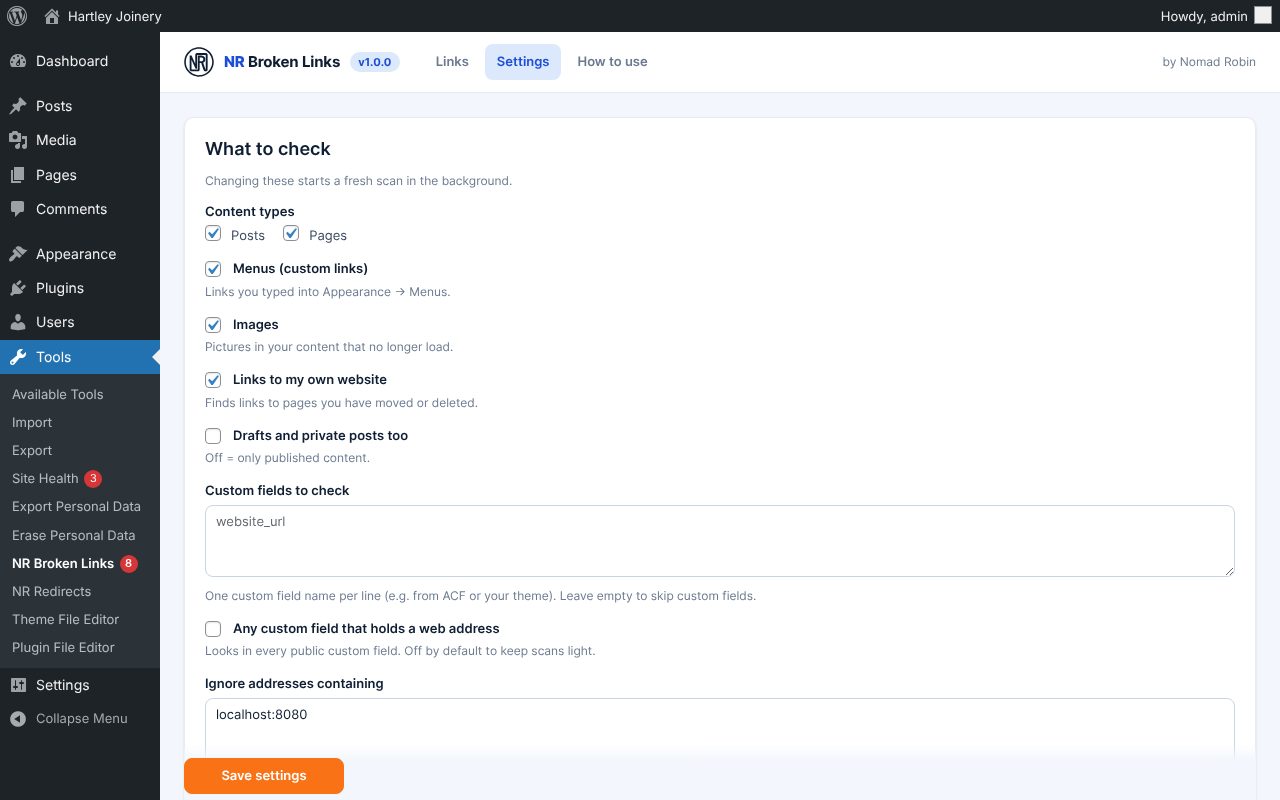
- Optional custom fields: named fields, or any field that holds a web address
- Stores links in its own tables, never in your posts
- Background checking with WP-Cron in small batches every 5 minutes
- Quick HEAD check first, normal GET when a website doesn't support HEAD
- Follows redirects itself and shows the final address
- Polite pause between requests to the same website (you choose)
- Time-out you choose for slow websites
- Pauses automatically when the server is busy (load limit you choose)
- Stops early when time or memory run short, and carries on next run
- Two-strike rule: time-outs, unknown websites and server errors are only broken on the second failure
- Login walls, bot blockers and rate limits shown as warnings, not broken
- Each address checked once however many posts use it
- Working links rechecked every N days; broken links daily
- Skips email (mailto:), phone (tel:), sms: and javascript: links
- Ignore list for addresses you never want checked
- Optional: links to your own site, images, drafts and private posts
- Dashboard filters: Broken, Redirects, Warnings, Working, Not checked yet, Marked not broken, All
- Search by address or link text, and links-only or images-only view
- Status codes explained in plain English
- Shows every post, page, menu item and custom field where each link is used, with edit links
- Edit address: change a link everywhere it is used in one go
- WordPress revisions kept for every changed post, so fixes can be undone
- Unlink: remove a dead link but keep the words
- Use new address: point a redirecting link straight at its final address
- Create redirect for missing pages on your site (with NR Redirects or Redirection)
- Mark as not broken, and bring back later
- Recheck one link, all broken links, or everything
- Bulk recheck, mark not broken and bring back
- Check now button that runs the checker from your browser with a progress bar
- Scan site again button
- Broken-link count bubble in the Tools menu
- New and changed posts are re-read automatically when saved
- Weekly email report of broken links, with a test button
- Optional weekly "all clear" email
- Editors can fix links; only Administrators change settings or create redirects
- Loads nothing on your public website
- Secure: permission and nonce checks on every action, safe requests only, prepared database queries
- Keeps your data when uninstalled unless you choose otherwise
- Translation-ready
- Built-in "How to use" tab in plain English
- Version number shown on the plugin's screen
- Works on phones and tablets
- One price: use it on as many sites as you like
- Includes every update for version 1
Screenshots


Details and requirements
| Version | 1.0.0 |
|---|---|
| Last updated | 27 October 2026 |
| Download size | 59 KB |
| Licence | GPL v2 or later (code) |
Changelog
- 1.0.0 27 Oct 2026 — First release
Questions
How do I get the plugin after paying?
Straight away: there's a download button on the thank-you page, and you'll get an email with your personal download link and licence key.
How do updates work?
Your download link always gives you the latest release of version 1: fixes, security updates and small improvements are included. A future version 2 would be a separate purchase, and you never have to upgrade.
Can I use it on more than one site?
Yes. One price, and you can use it on as many sites as you like.
Is support included?
No. Help, set-up and customisation aren't included in the price. If something doesn't work as described, report it through the support page and I'll put it right. Your legal rights are not affected.
Can I get a refund?
Your legal rights apply if the product is faulty or not as described, and if it doesn't work as described and I can't fix it, I'll refund you. Because it's a download, the usual 14-day change-of-mind right ends once you start the download. Full details are in the Digital Products Terms.
Prices in pounds. I'm not VAT registered, so no VAT is added. Digital Products Terms